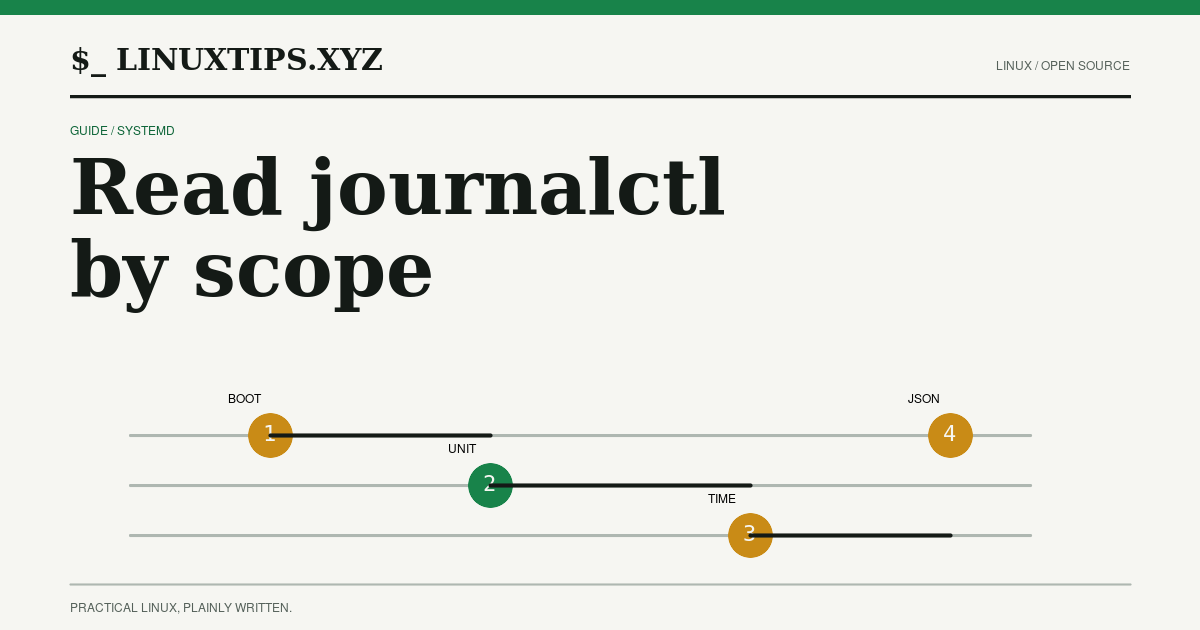
journalctl reads records written by systemd-journald. It is most useful when
each command answers one narrow question. Start with the boot, then add a unit,
time range, priority, or field filter. Avoid dumping the entire journal and
searching by eye: the journal already has structured fields.
What the lab could and could not run
The reproducible matrix used debian:13.6 at digest
sha256:34cd9e9fd437c0a095ec39cb2e73422c9f30821b0d0848ed74fd0d43bae4d958
and alpine:3.24.1 at digest
sha256:28bd5fe8b56d1bd048e5babf5b10710ebe0bae67db86916198a6eec434943f8b.
The Debian shell was Dash 0.5.12-12; the Alpine shell was BusyBox ash 1.37.0.
Neither minimal image contains journalctl, /var/log/journal, or
/run/log/journal:
| Test | Debian 13.6 | Alpine 3.24.1 |
|---|---|---|
journalctl --version |
exit 127, journalctl: not found |
exit 127, journalctl: not found |
dmesg |
exit 1, read kernel buffer failed: Operation not permitted |
exit 1, klogctl: Operation not permitted |
logread |
exit 127, not found | exit 1, can't find syslogd buffer |
tail -n 3 /var/log/messages |
exit 1, file absent | exit 1, file absent |
These are boundaries, not fabricated journal output. A container with no
systemd PID 1 and no journal files cannot prove a journalctl workflow. On the
development host, systemd 245.4 supplied the supplementary read-only shape
checks below. Host results are not presented as Debian or Alpine container
results.
Expected output shapes
The exact message, host, boot ID, and timestamps change. The stable shapes are what make a query useful:
| Query | Expected shape | Observed read-only check |
|---|---|---|
journalctl --list-boots --no-pager |
One row per boot: offset, boot ID, start time, end time. | Host exit 0; rows began -6 <boot-id> Mon .... |
journalctl -b 0 -n 2 -o short-precise --no-pager |
Timestamp with microseconds, hostname, unit and PID, then message text. | Host exit 0; two Aug ... systemd[...] lines after a log-range header. |
journalctl -u systemd-journald.service -n 2 -o json --no-pager |
One JSON object per record with fields such as MESSAGE, PRIORITY, _SYSTEMD_UNIT, and __REALTIME_TIMESTAMP. |
Host exit 0; one JSON object per line. |
journalctl -p warning..alert -b 0 -n 2 --no-pager |
Short-format records limited to the priority range. | Host exit 0; two warning-or-higher records. |
journalctl --disk-usage --no-pager |
Human summary of archived and active journal size. | Host exit 0; one summary line. |
Use --output=json when a program needs fields. Human output is presentation;
message text, locale, timestamps, and field order are not a stable API.
Start with the boot
List boots before choosing one:
journalctl --list-boots --no-pager
journalctl -b 0 --no-pagerThe current boot is 0; older boots have negative offsets. Pinning a boot keeps
an investigation from mixing a current failure with a previous recovery. A
boot ID is more precise than an offset when evidence must survive a reboot.
Narrow to a unit, window, and priority
Combine the unit name with an explicit time range:
journalctl -u ssh.service --since "30 minutes ago" --no-pager
journalctl -u systemd-logind.service -b -1 -p warning..alert --no-pager-u selects _SYSTEMD_UNIT; -p warning..alert selects a priority range;
--since and --until select timestamps. Multiple different fields narrow the
result together. Repeating a field can express alternatives, but make that
choice visible in the command saved with the evidence.
Use --output=short-precise when event order matters and --output=json when a
script needs fields rather than presentation text:
journalctl -b 0 -o short-precise -n 50 --no-pager
journalctl -u ssh.service -o json -n 50 --no-pager-k narrows to kernel messages. It still depends on a journal and access
policy; dmesg is a different, shorter-lived kernel ring buffer.
Understand volatile and persistent storage
journald.conf names four storage modes:
volatilekeeps records below/run/log/journal; a reboot removes them.persistentprefers/var/log/journal, falling back to runtime storage early in boot or when the disk is not writable.autobehaves as persistent when/var/log/journalexists and volatile otherwise; this is the default for the default namespace.nonedrops records after any configured forwarding.
Check the directories and effective configuration before trusting older boots:
ls -ld /var/log/journal /run/log/journal 2>/dev/null
journalctl --disk-usage --no-pagerAn absent /var/log/journal is evidence that auto will use volatile storage;
it is not proof that no journal records exist right now. Retention is also
bounded by SystemMaxUse=, RuntimeMaxUse=, keep-free settings, and rotation.
Follow carefully; vacuum deliberately
journalctl -f follows new records and stays attached to the terminal. Give it
an explicit match and stop it with the operator’s agreed interrupt:
journalctl -u ssh.service -f -n 20Caution:
-fis a long-running reader. It can keep a shell, SSH session, or automation job open indefinitely. Use--no-pagerin automation and a bounded timeout outside an interactive investigation.
--vacuum-time=, --vacuum-size=, and --vacuum-files= delete archived journal
files. They are not filters and are not read-only diagnostics. Confirm the
retention policy, filesystem, ownership, and required evidence first:
Caution: Do not run a vacuum command to make a disk-usage screenshot look better. It can remove the historical records needed for an incident. Save the relevant entries and obtain approval before changing retention state.
--rotate changes journal-file state too; keep it out of an evidence-only
workflow unless the system owner has requested it.
Non-systemd and Alpine boundaries
journalctl is not a universal Linux log reader. It needs systemd journal files
or a remote journal source. Debian’s minimal official image does not include
systemd, and Alpine’s documented service manager is OpenRC. Alpine’s BusyBox
logread can read a syslogd buffer when one is configured, but the tested base
image has no buffer. A text file such as /var/log/messages is a separate
logging path, not a journal database.
Use the nearest read-only check, then label the result honestly:
if command -v journalctl >/dev/null 2>&1; then
  journalctl --list-boots --no-pager
elif command -v logread >/dev/null 2>&1; then
  logread
else
  printf '%s\n' "No journal reader is installed" >&2
  exit 127
fiDo not install systemd into an Alpine troubleshooting shell and call that evidence for the Alpine service model. Choose the host’s actual init and log stack, record its version, and use its own documented query tools.
The durable workflow is simple: identify the store, select the boot, narrow by unit/time/priority, choose an output format, preserve the command and exit status, and only then decide whether retention or service state must change.
Continue the signal